Detailed Use Cases
1 Before use, ensure that the translation device is properly connected to your phone and that real-time translation is enabled in the app.
2 Depending on the scenario, you can switch the target language or adjust the translation mode in the app for more accurate results.
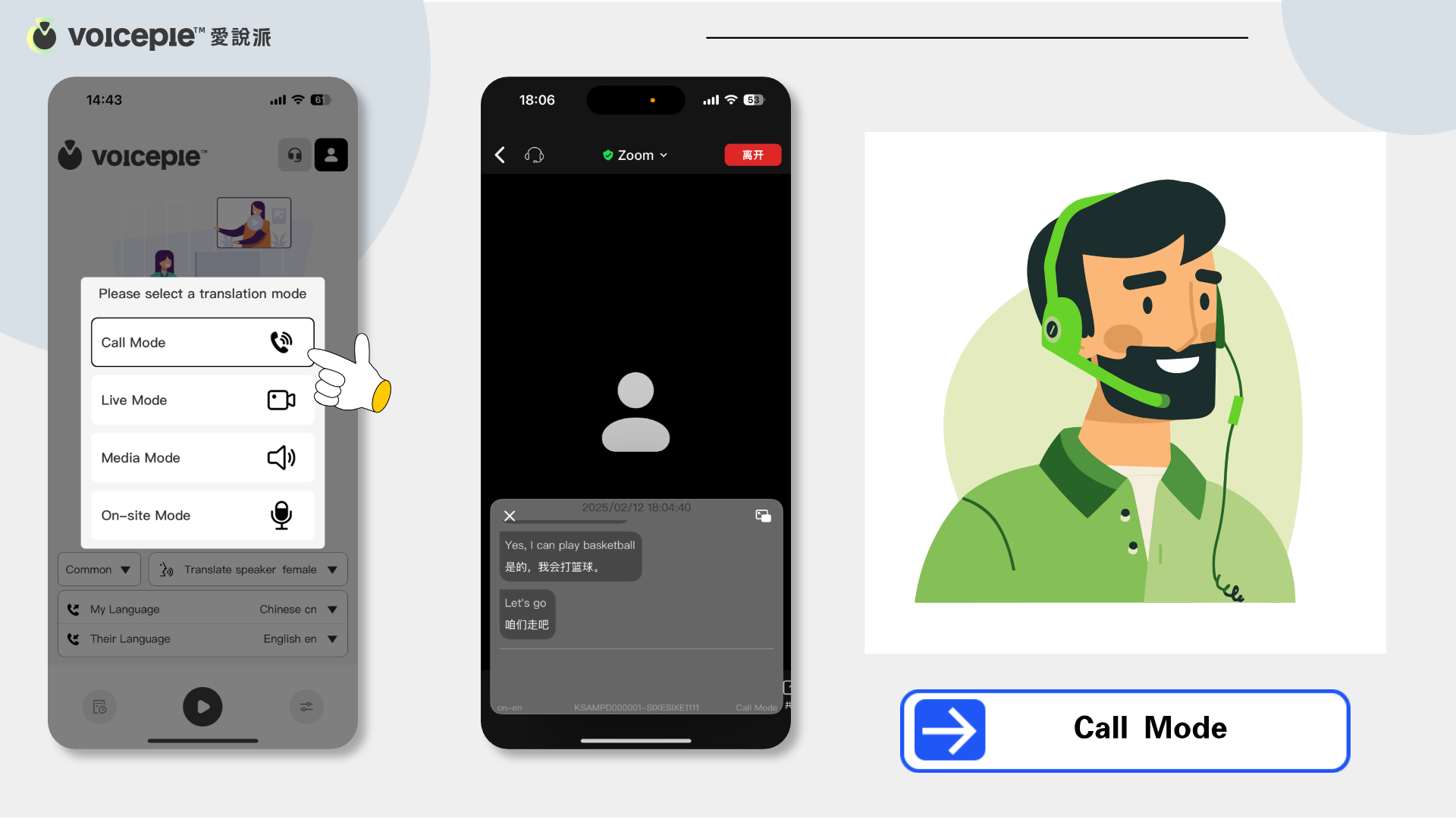
Call Mode
❓ How to Use?
1️⃣ Connect the device: Ensure the TransBuds C2 wired earbuds are plugged into your phone.
2️⃣ Enable translation mode: Select the "Call Mode" feature in the app, which supports both regular calls and VoIP (internet calls).
3️⃣ Real-time translation: Your speech will be translated and played to the other party, while their speech will also be translated and played for you.
❗️ Applicable Scenarios
✅ System and VoIP Calls: Supports standard phone calls as well as platforms like Skype, WhatsApp, and Zoom.
✅ International Business Communication: Overcome language barriers in negotiations and teamwork.
✅ Staying in Touch with Overseas Family and Friends: Speak freely without waiting for translations.
✅ Cross-border Customer Support: Understand global client needs and provide efficient service.
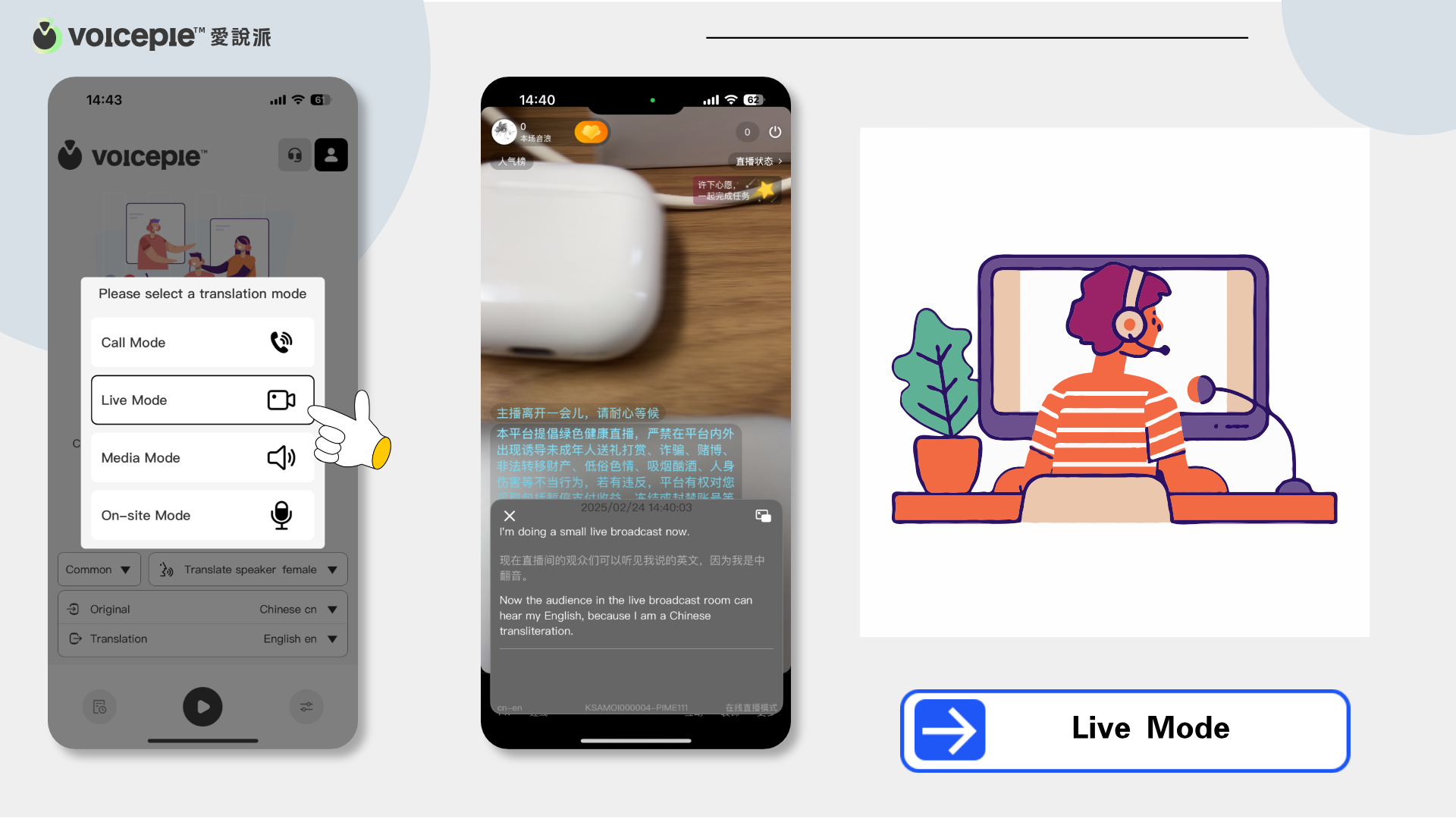
Live Mode
❓ How to Use?
1️⃣ Connect the device: Ensure the TransBuds C2 wired earbuds are plugged into your phone.
2️⃣ Enable translation mode: Select the "Live Mode" feature in the app.
3️⃣ Real-time translation: Your voice will be translated for your audience in real-time, with support for multiple languages.
❗️ Applicable Scenarios
✅ Engaging with International Audiences: Stream on platforms like YouTube, Twitch, and TikTok.
✅ Brand Promotion: Expand your brand globally with translated content.
✅ Cross-border Teaching: Reach a worldwide audience with real-time translation.
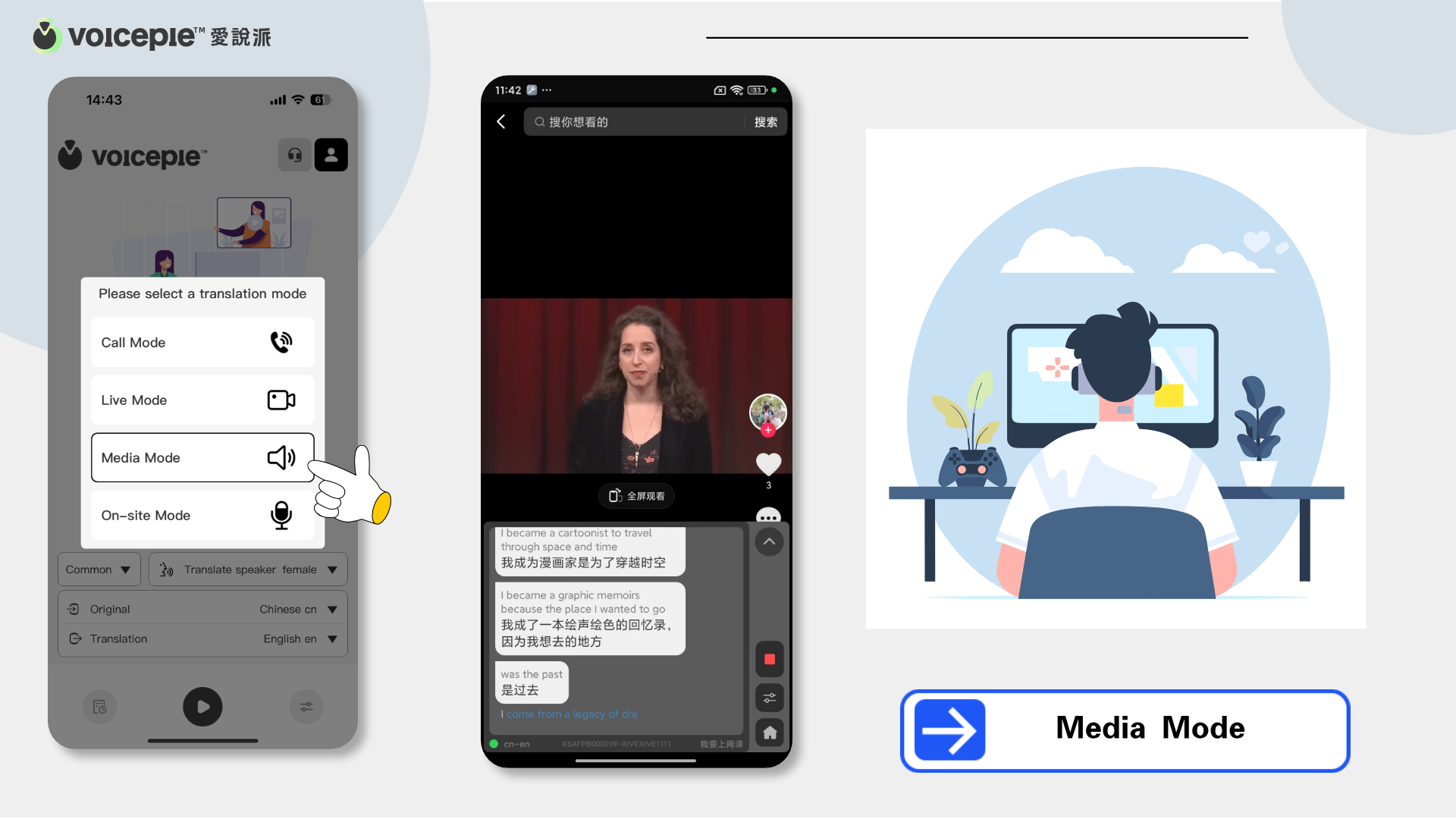
Media Mode
❓ How to Use?
1️⃣ Connect the device: Ensure the TransBuds C2 wired earbuds are plugged into your phone.
2️⃣ Select translation mode: Choose the "Media Mode" feature in the app.
3️⃣ Real-time translation: The earbuds play the translated content while retaining the original background audio.
❗️ Applicable Scenarios
✅ Foreign Videos/Live Streams: Instantly understand content on YouTube, Netflix, and more.
✅ News and Updates: Stay informed with global news in real-time.
✅ Language Learning: Improve listening skills by hearing both original and translated audio.
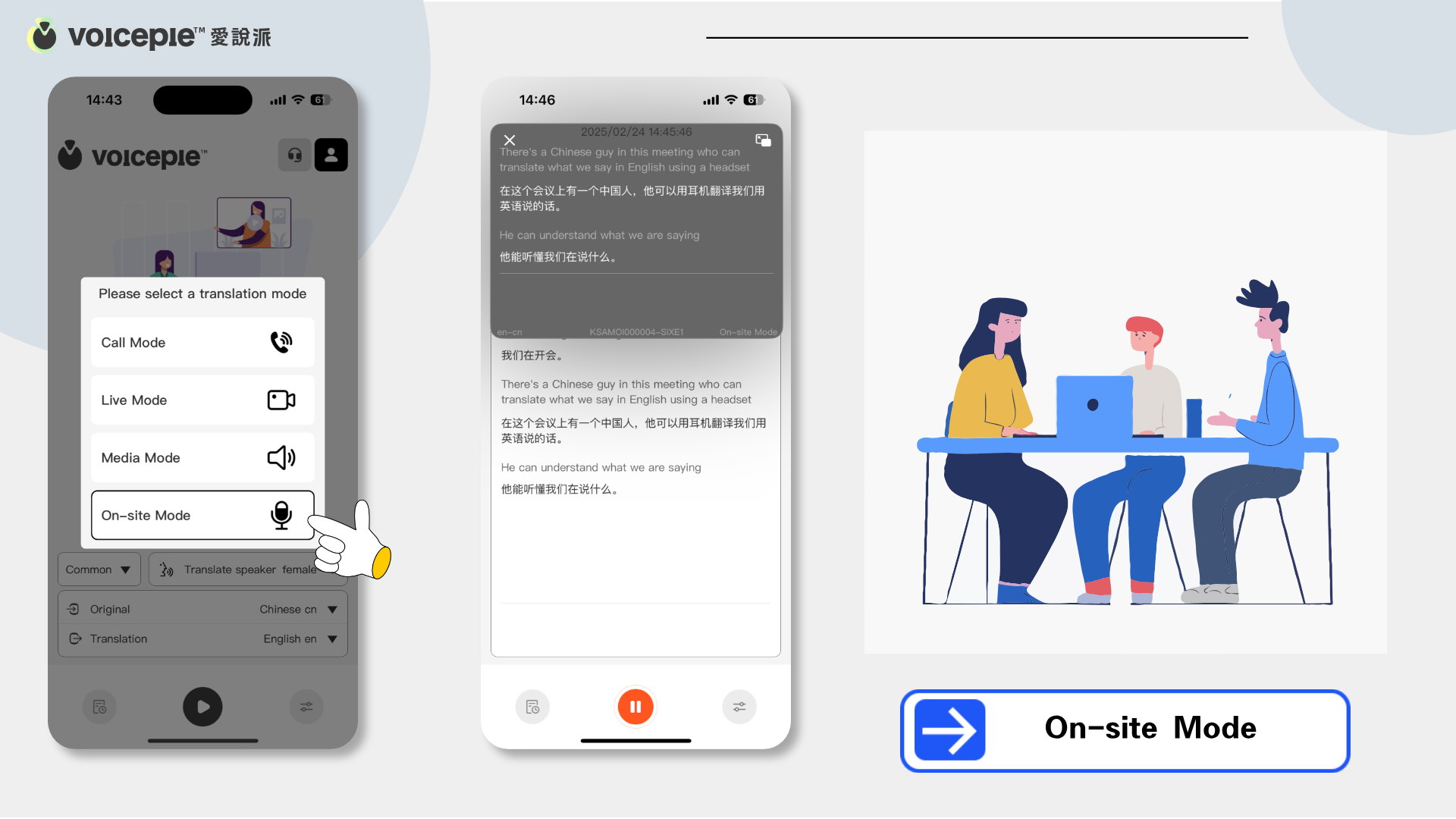
On-site Mode
❓ How to Use?
1️⃣ Connect the device: Ensure the TransBuds C2 wired earbuds are plugged into your phone.
2️⃣ Enable translation mode: Select the "On-site Mode" feature in the app.
3️⃣ Real-time translation: The earbuds capture surrounding foreign language conversations and play the translated audio.
❗️ Applicable Scenarios
✅ Traveling Abroad: Understand local conversations and immerse in new cultures.
✅ Business Visits: Follow discussions without language concerns.
✅ International Exhibitions: Stay informed about events and innovations.