Clean Uninstall Driver
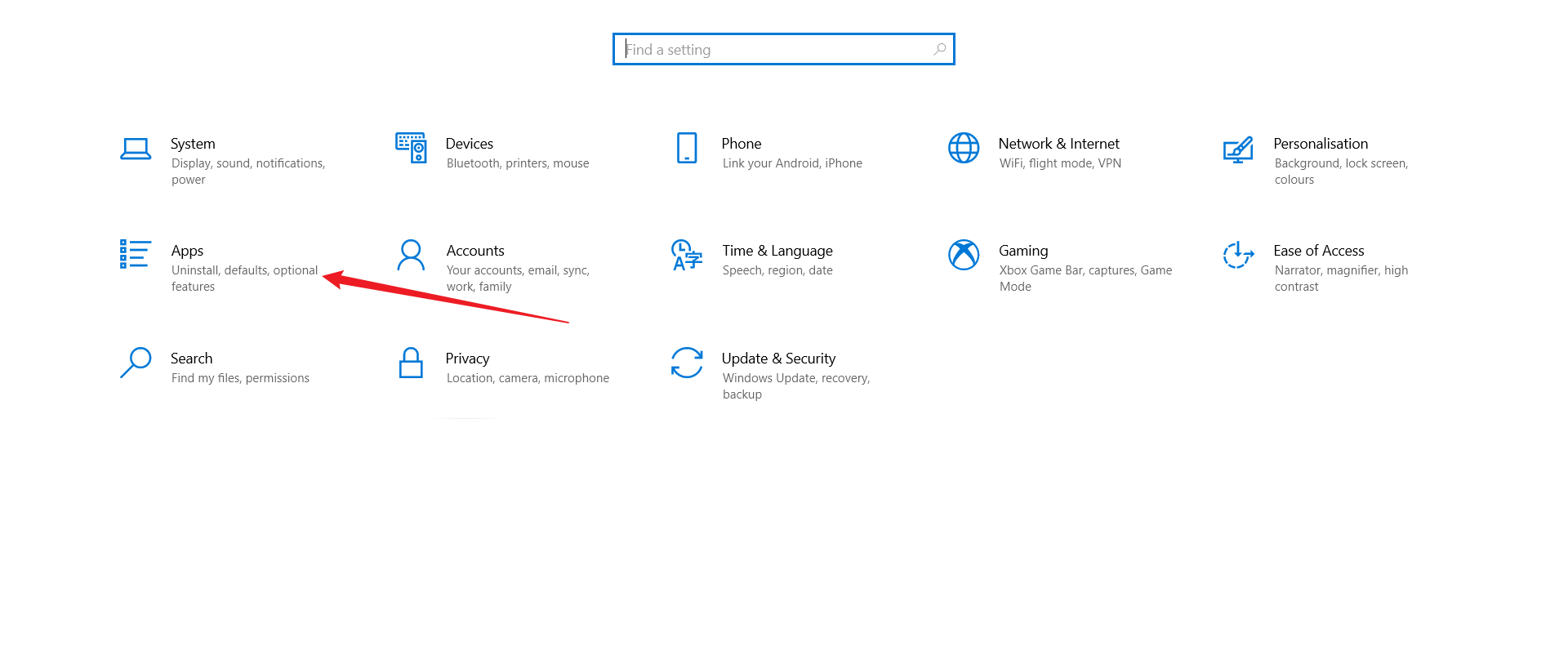
Access Settings
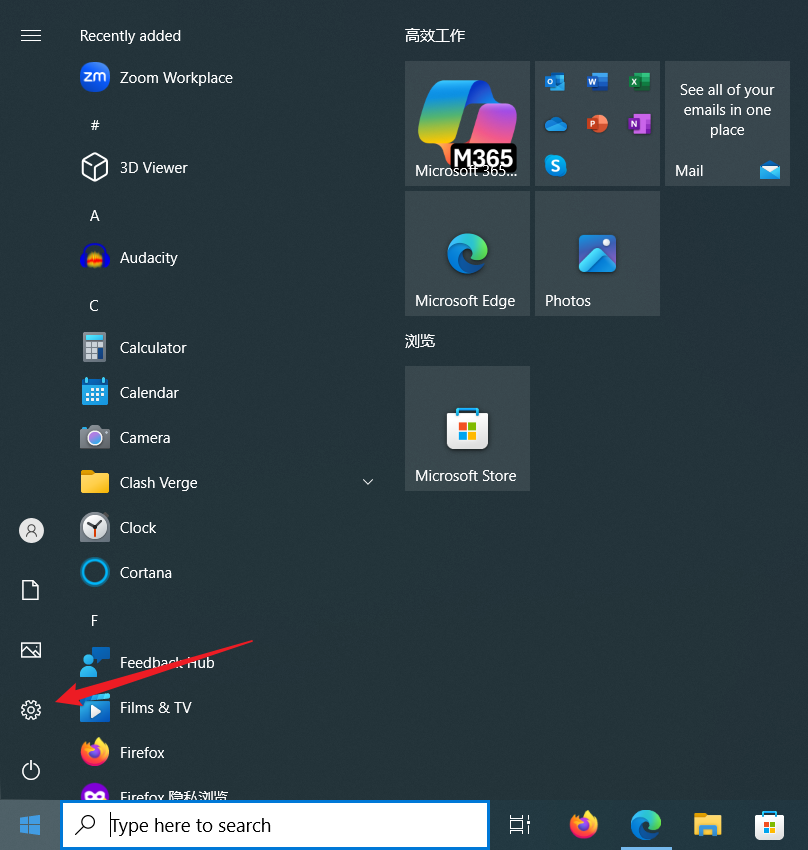
Press Windows key, open Settings
Open Application
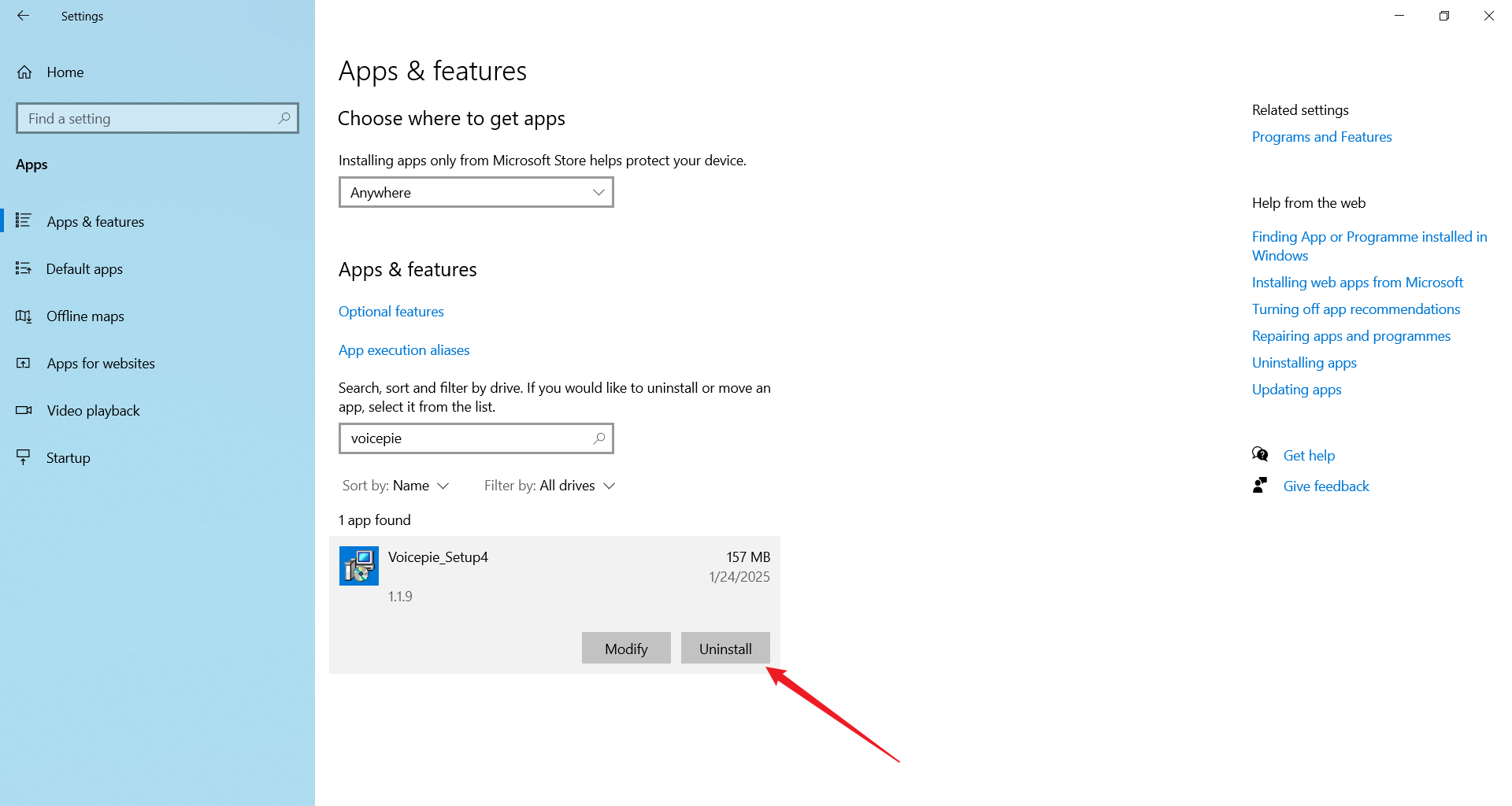
Uninstall voicepie_Setup
Voicepie_Setup may have numbers after it, ignore them
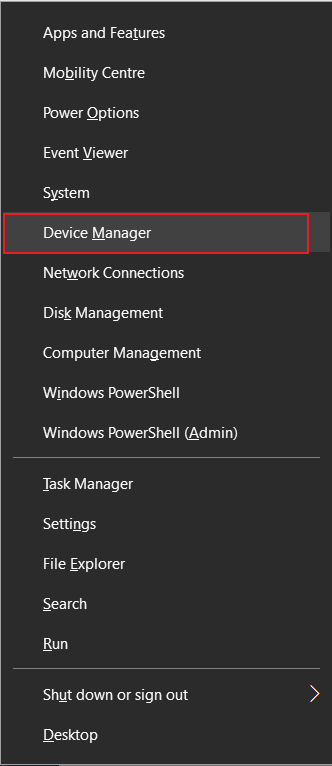
Open Device Manager
- Press
Windows+X - Click
Device Manager
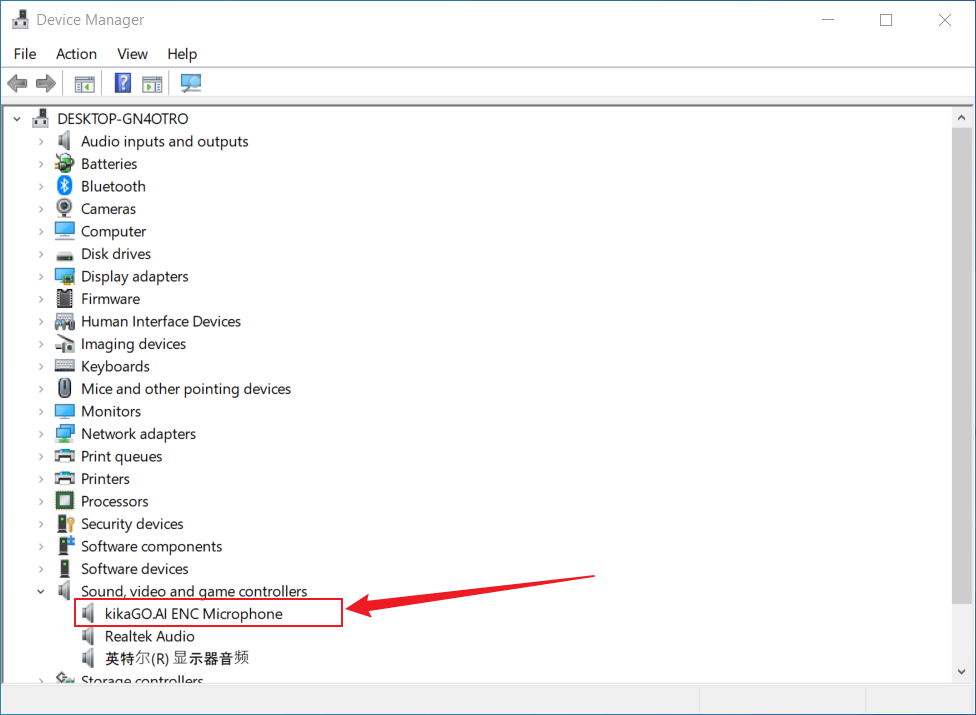
Find and Right-click kikaGO.AI ENC Headphon
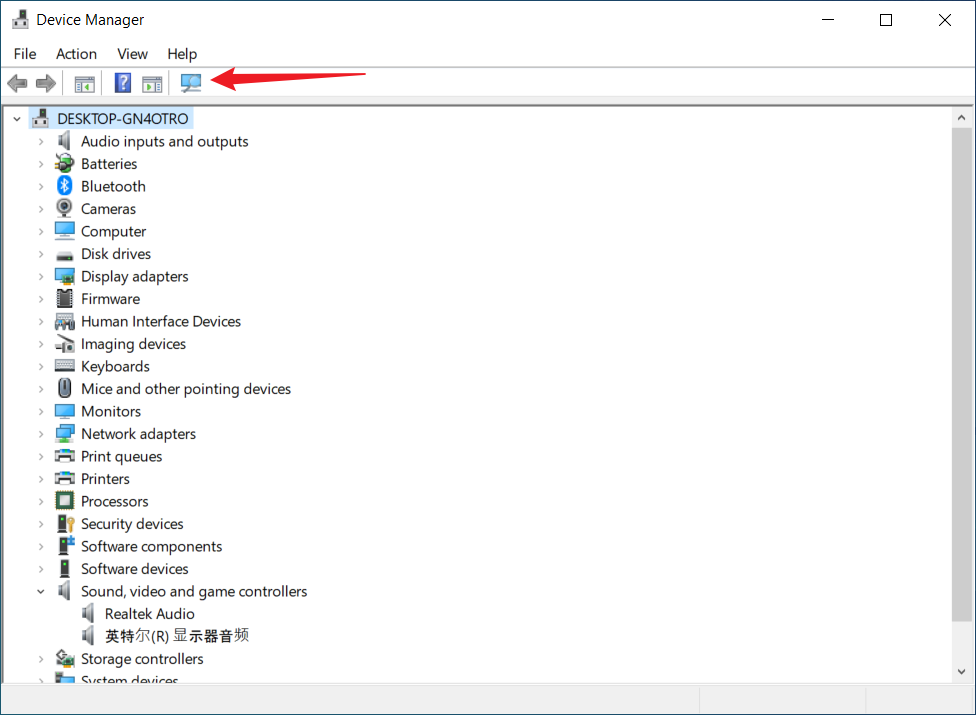
- Find
Audio Processor Object (APO)in the list (If not found, click refresh button - may need multiple attempts) - Right-click
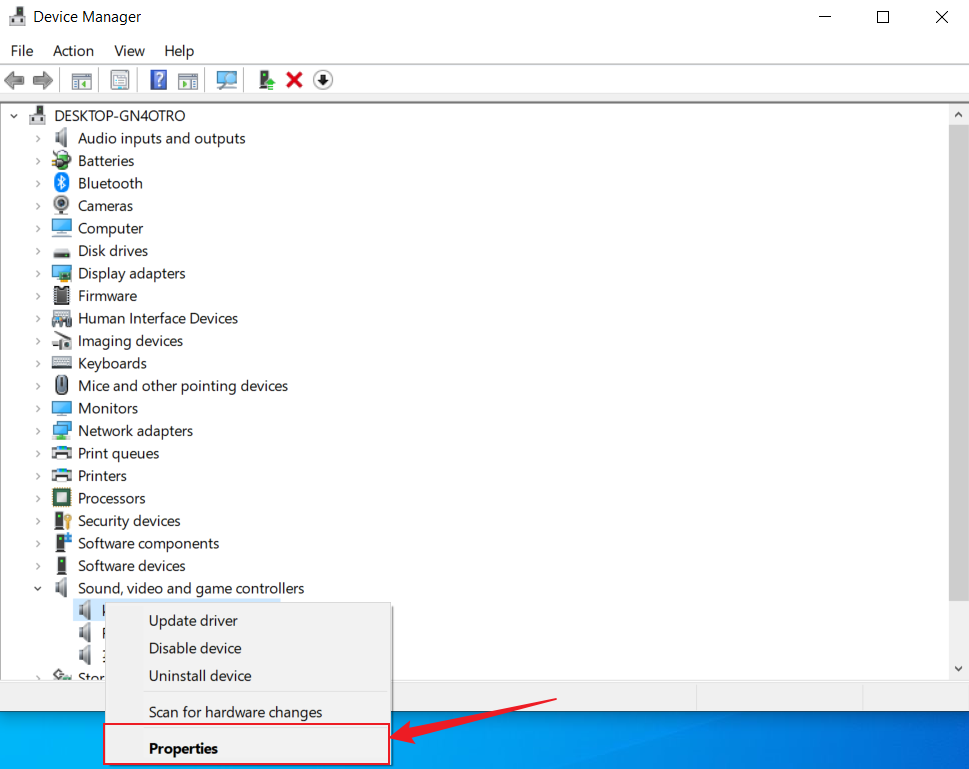
kikaGO.AI ENC Headphone - Click Uninstall Device
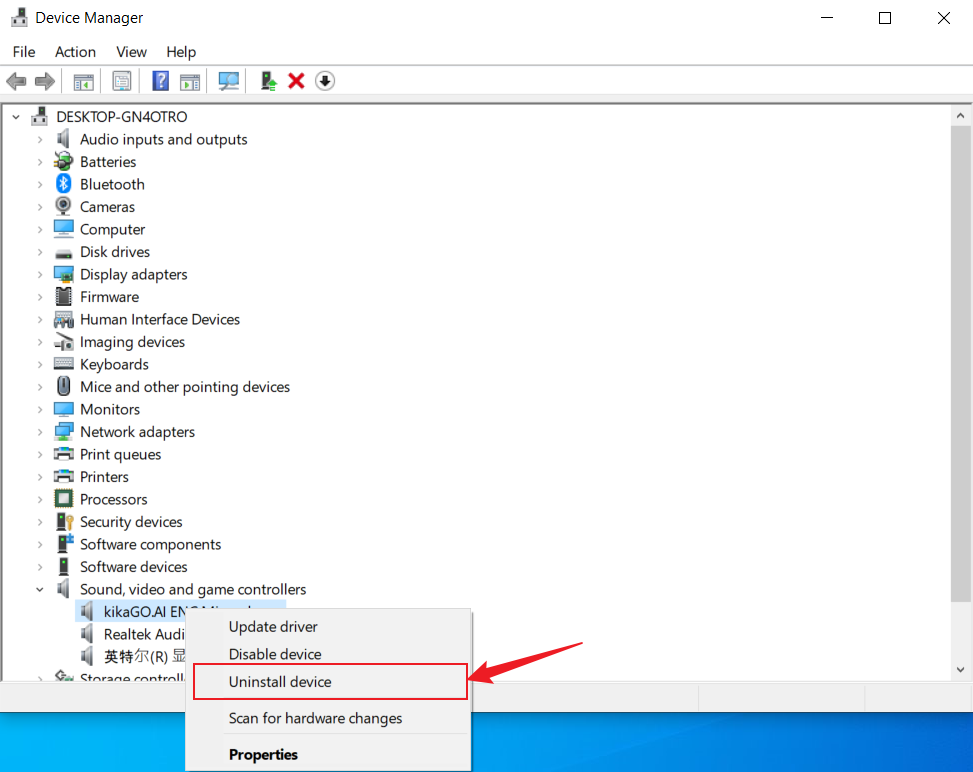
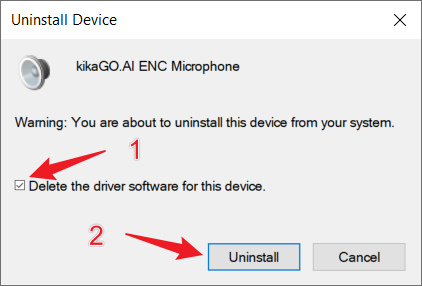
Uninstall kikaGO.AI ENC Headphone
- Select
Delete the driver software for this device - Click
Uninstall
Verify Device Manager and Digital Signature
- Refresh Device Manager after uninstall
- Click
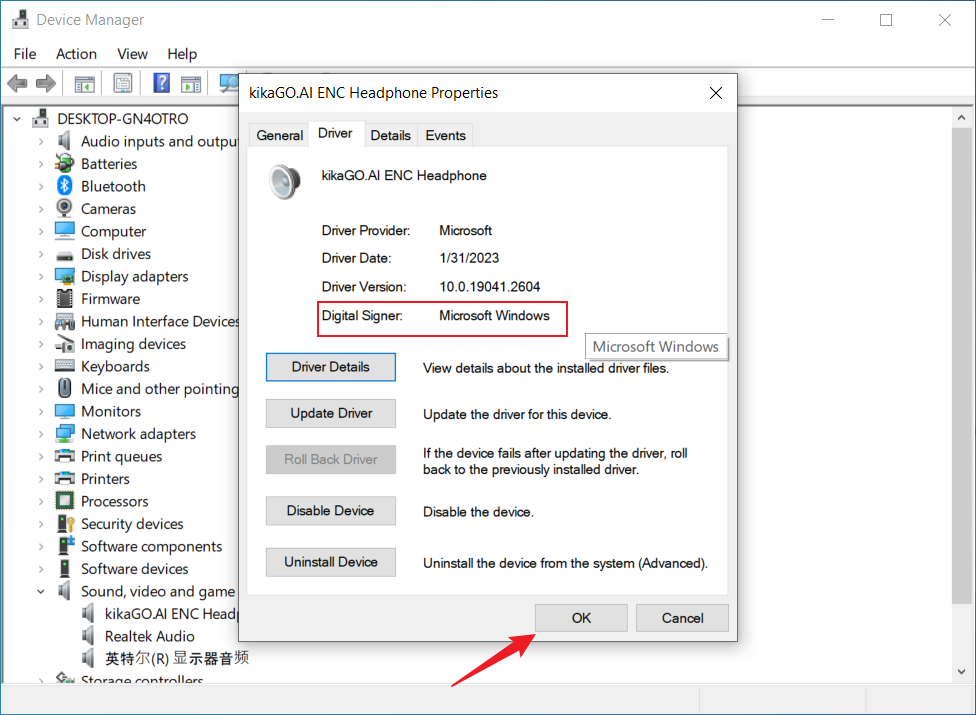
Sound, video and game controller; then right-clickkikaGO.AI ENC Headphone - Click
Driverto verify digital signature isMicrosoft Windows
Note: If prompted to restart computer, save your files first