English
Appearance
App shows: Cannot connect to server
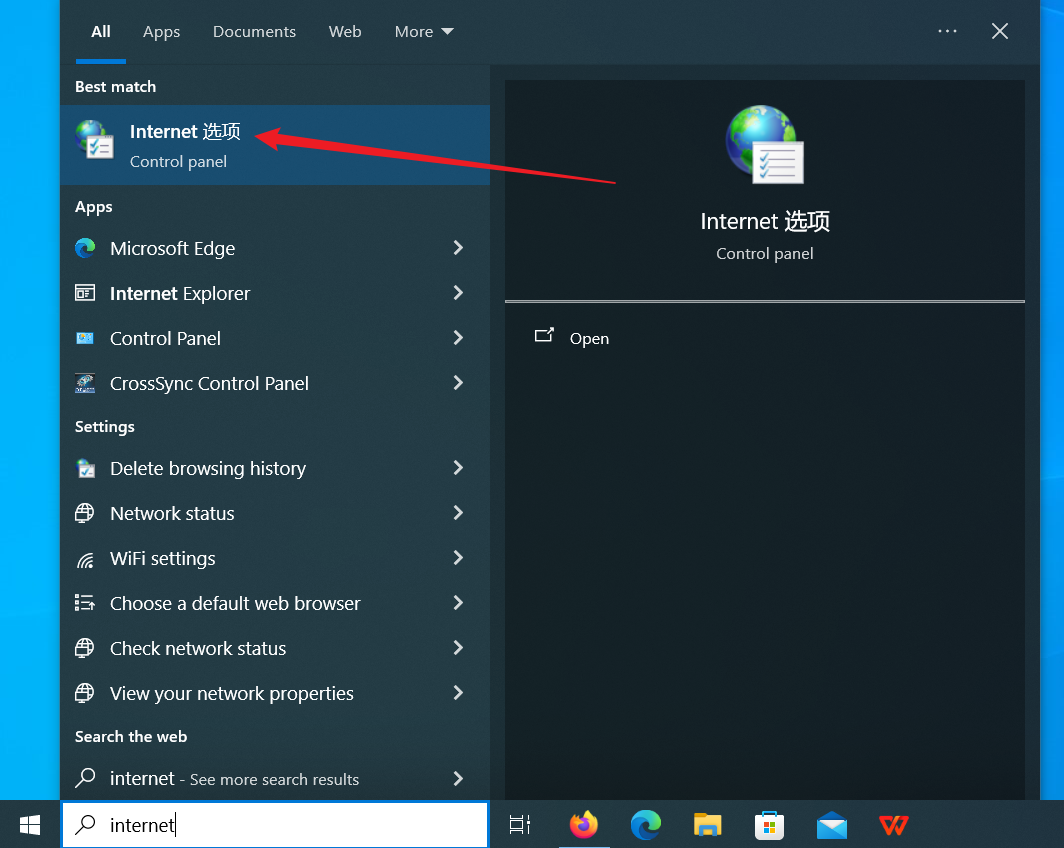
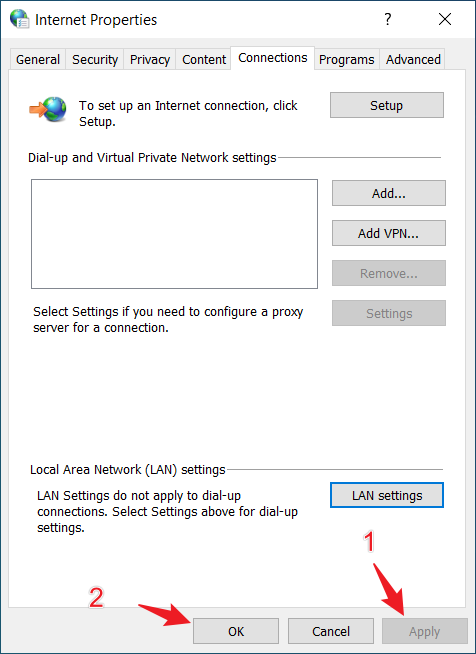
Click Windows icon and select Internet Options
Internet Options
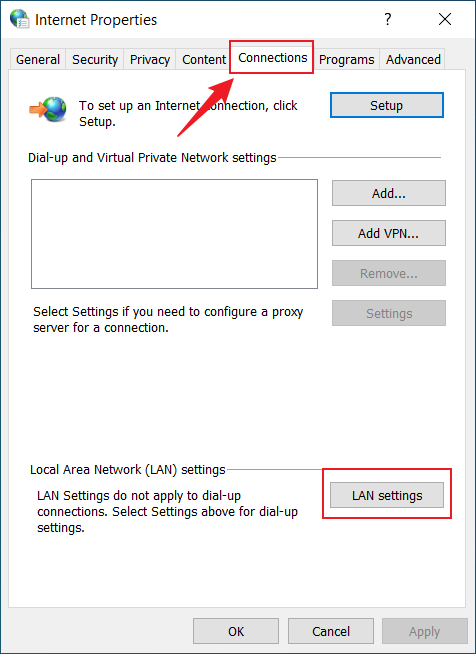
Connections
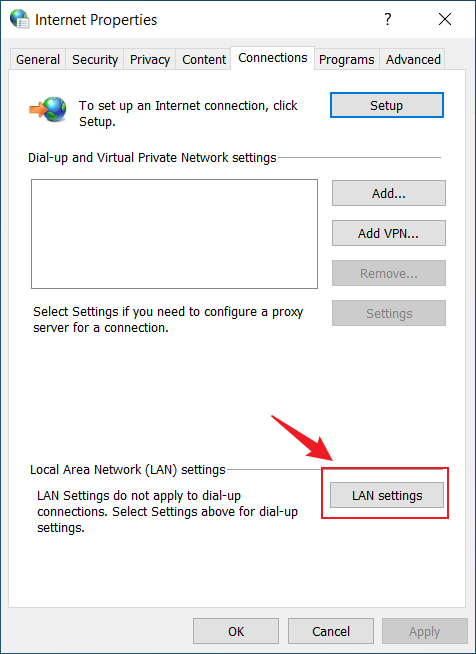
LAN Settings
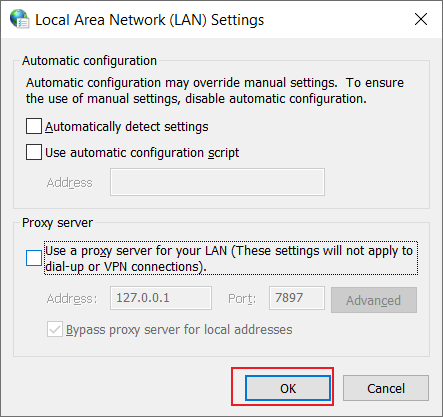
OK
Apply