Using TransBuds C1 on macOS
💡This guide is designed for first-time users or those unfamiliar with the voicepie app, providing detailed steps to get started effortlessly.
❗️Supported only on Mac computers with M-series chips!
Download and Install
Search for voicepie in the App Store to download and installClick to download the app installation package
User Guide
- Install voicepie App on MacBook

- Open the app and connect your TransBuds C1. Wait for the activation process to complete.

- Once the earphones are successfully recognized, you will enter the main app interface.

- Important: Before starting translation, ensure that both the audio input and output on your MacBook are set to kikago.ai enc headphone.
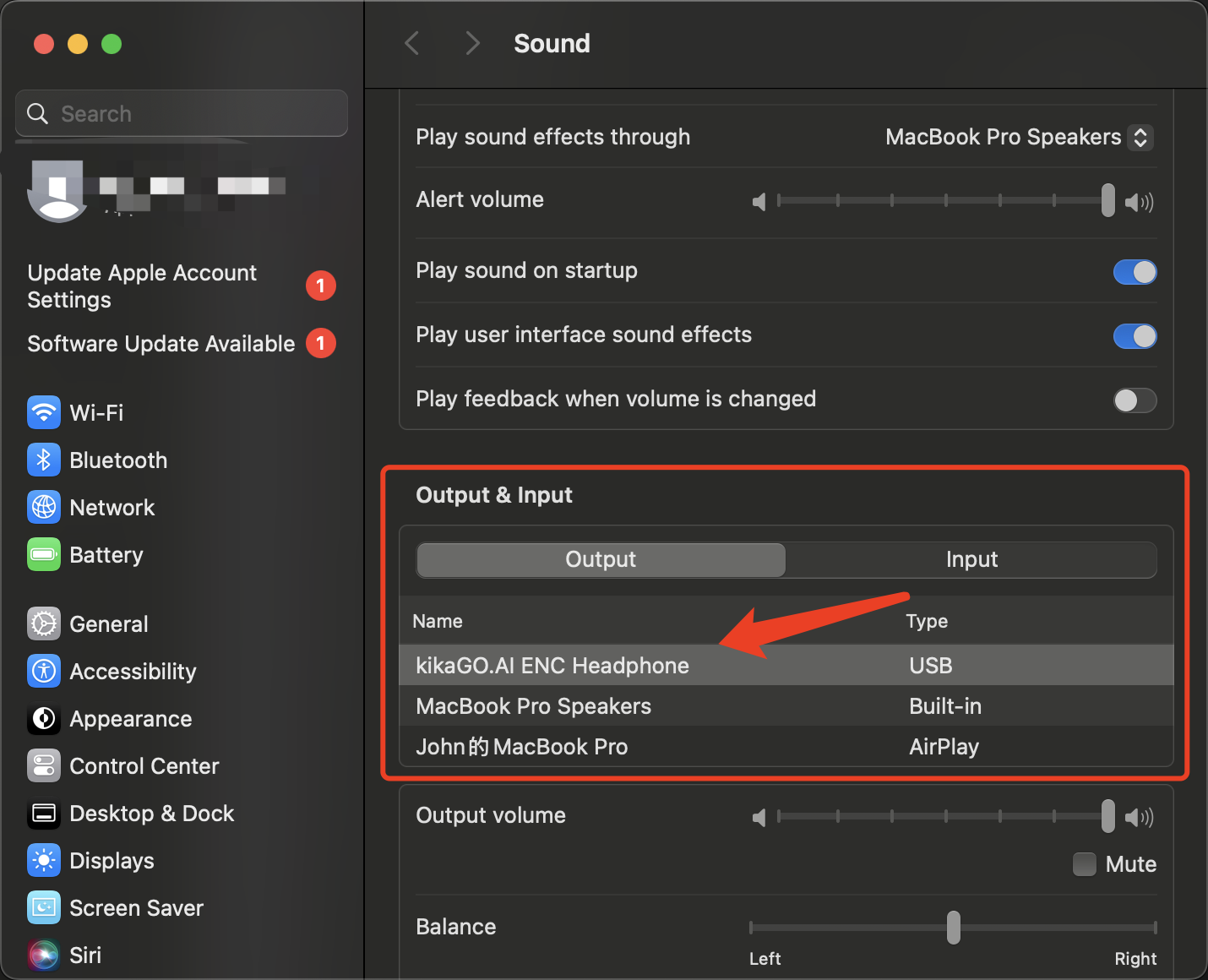
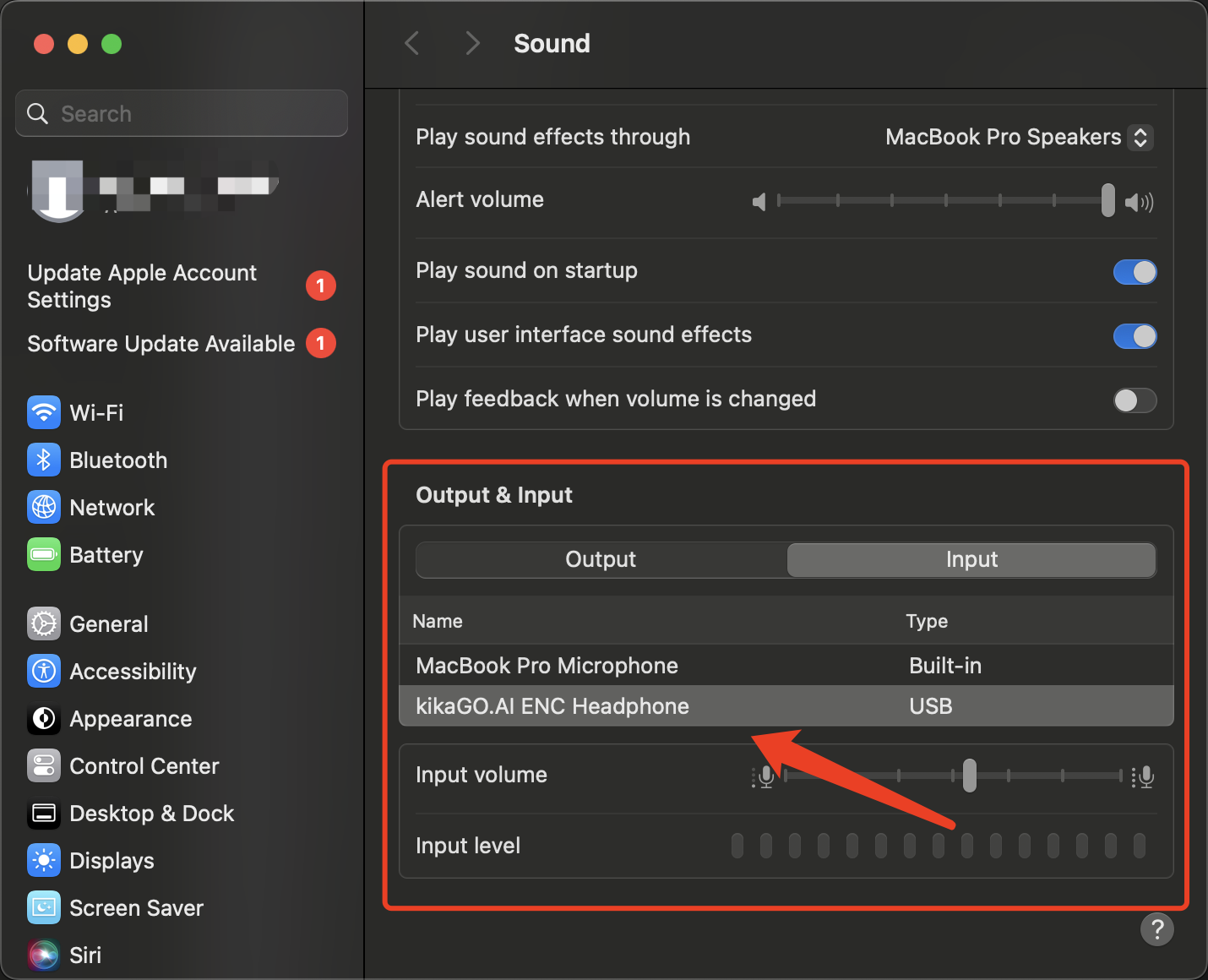
- You can now select a translation mode and begin using the real-time translation feature, enabling seamless communication.

App Interface