Using TransBuds W1 on macOS
💡 This guide provides step-by-step instructions for users unfamiliar with the voicepie application to get started easily.
❗️Only compatible with macOS devices powered by an M-series chip!
Download
Search for voicepie in the App Store to download and installClick to download the app installation package
User Guide
- Install voicepie App on macOS
Download and install the app from the App Store or the official website.

- Connect AI Translator and Earphones
Plug in the AI Translator dongle into your MacBook. Power on and wear the Bluetooth earphones, which will automatically connect to the AI Translator. No need to pair the earphones directly with your Mac.

- Launch and Configure the App
Open the voicepie app. Once the AI Translator is recognized, the main interface will load. Grant any required permissions when prompted.

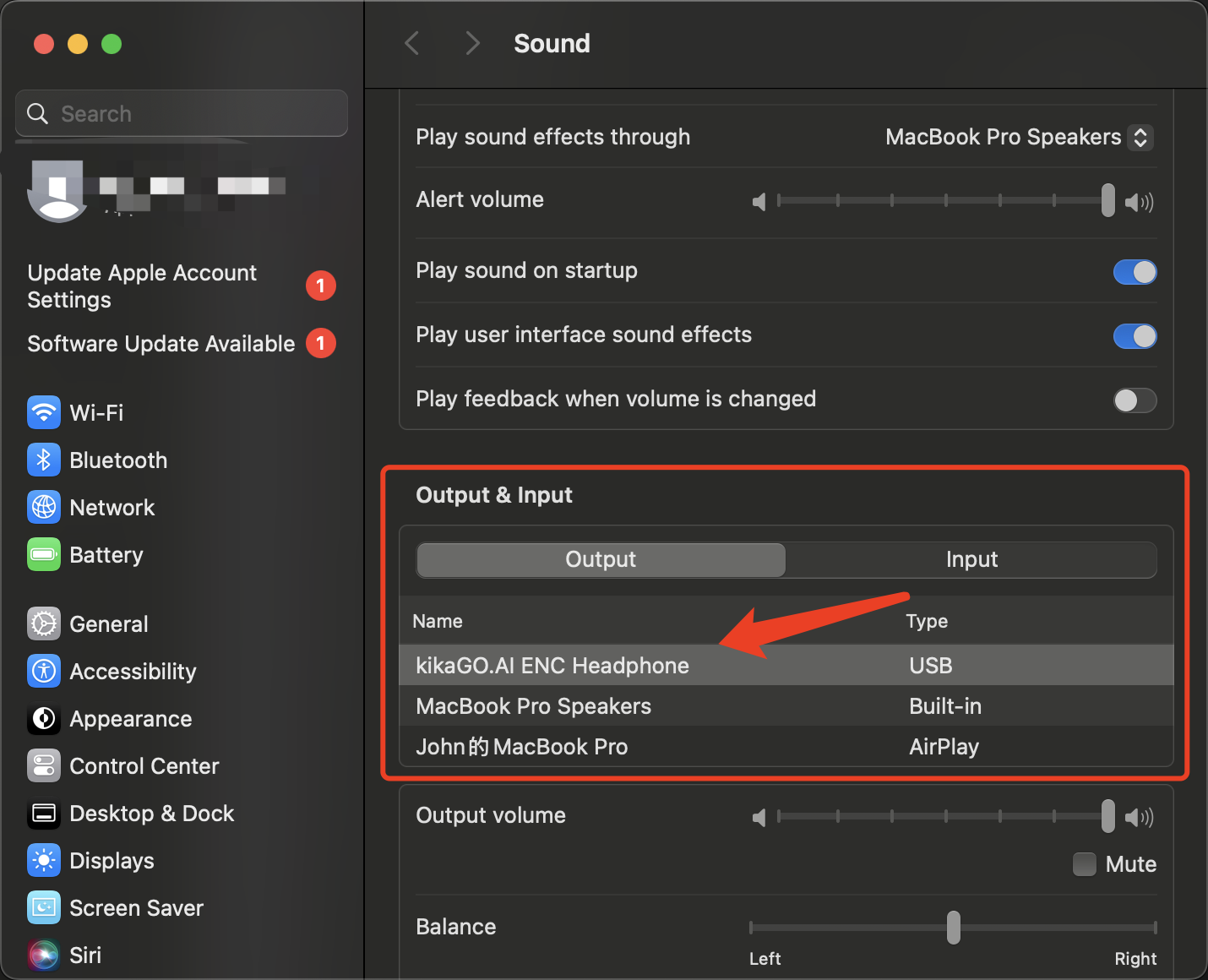
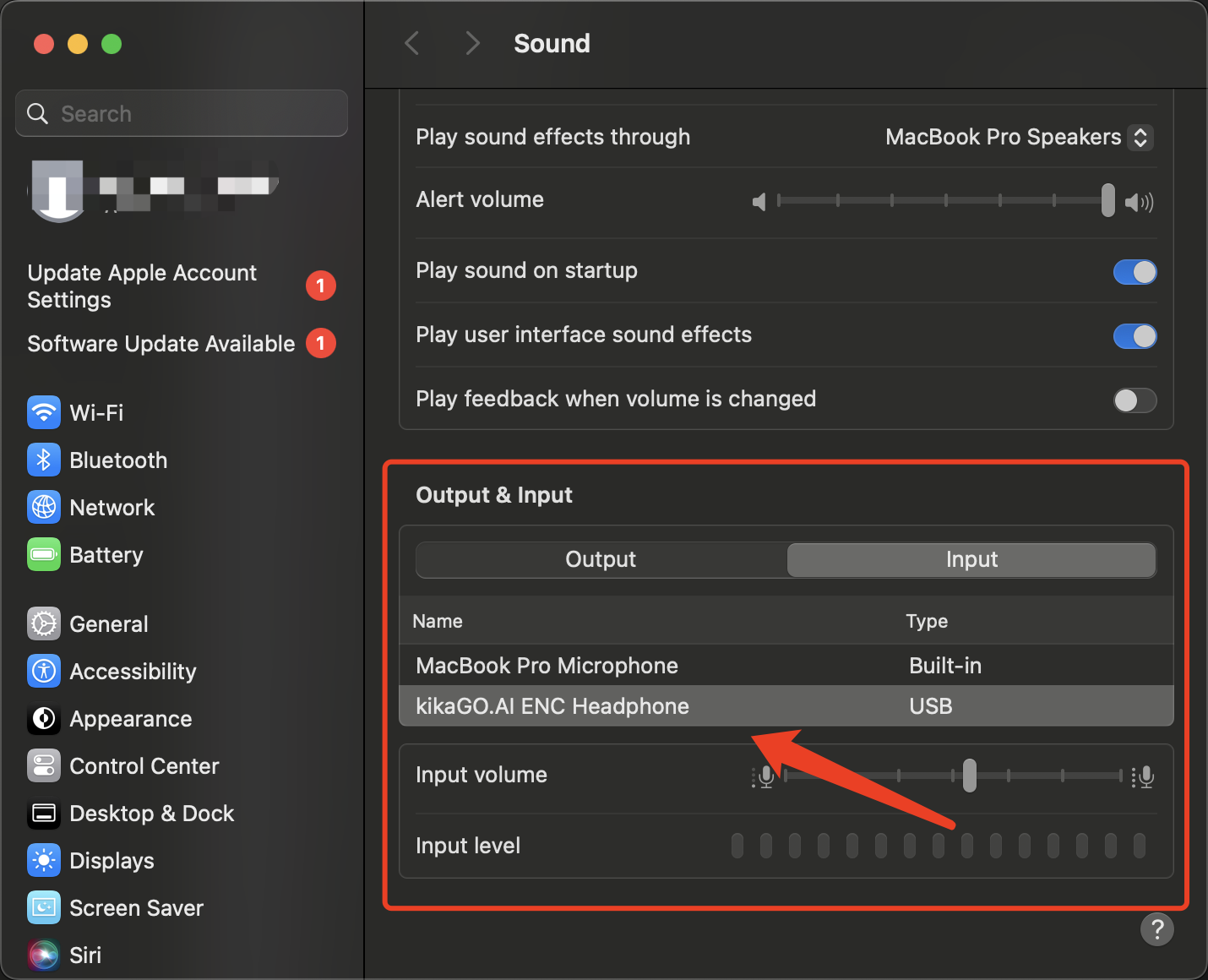
- Set Audio Input and Output
Ensure the macOS audio input and output are set to kikago.ai enc headphone in the system sound settings.
- Start Translation
Begin using the real-time translation feature for seamless communication.

App Interface