

No Audio During Translation
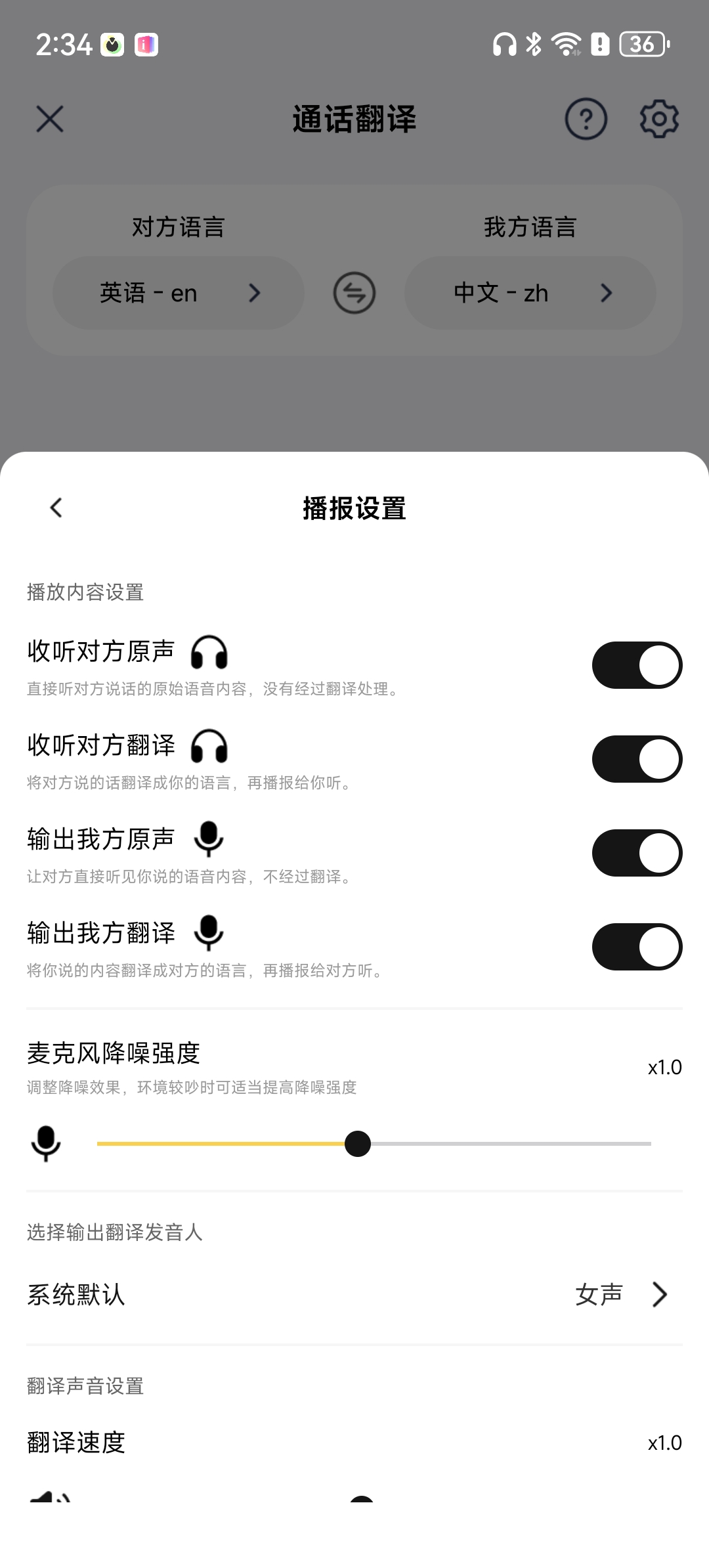
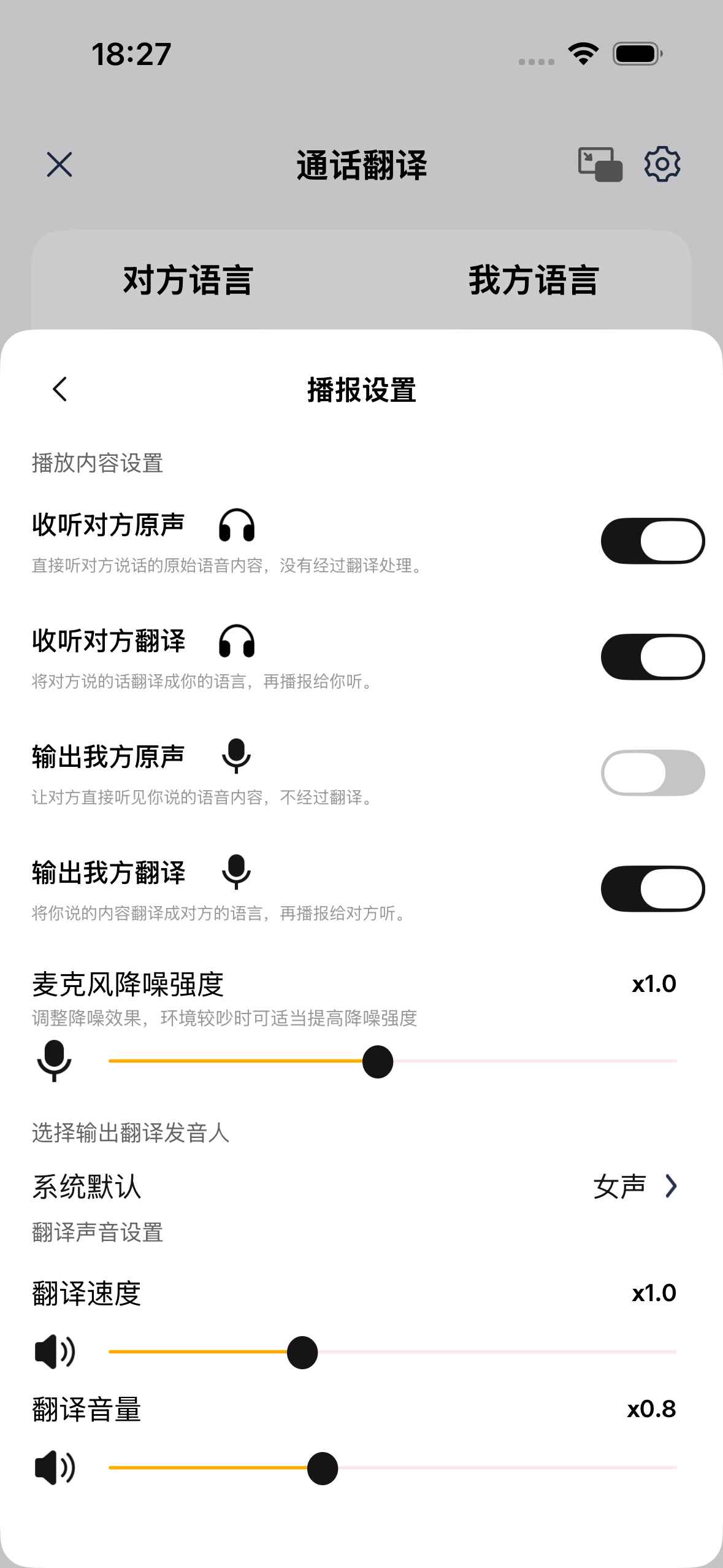
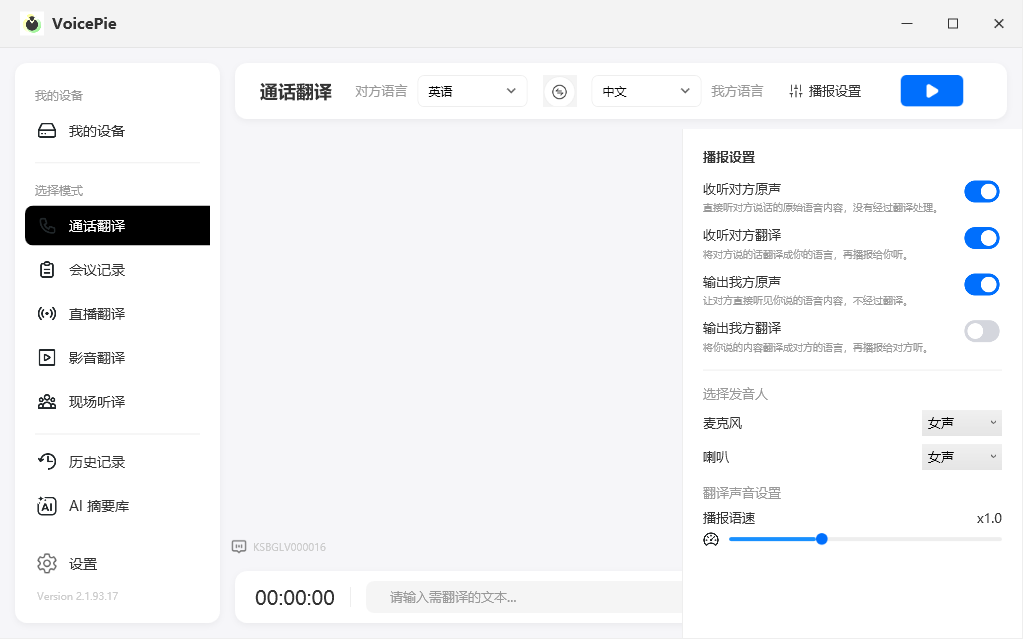
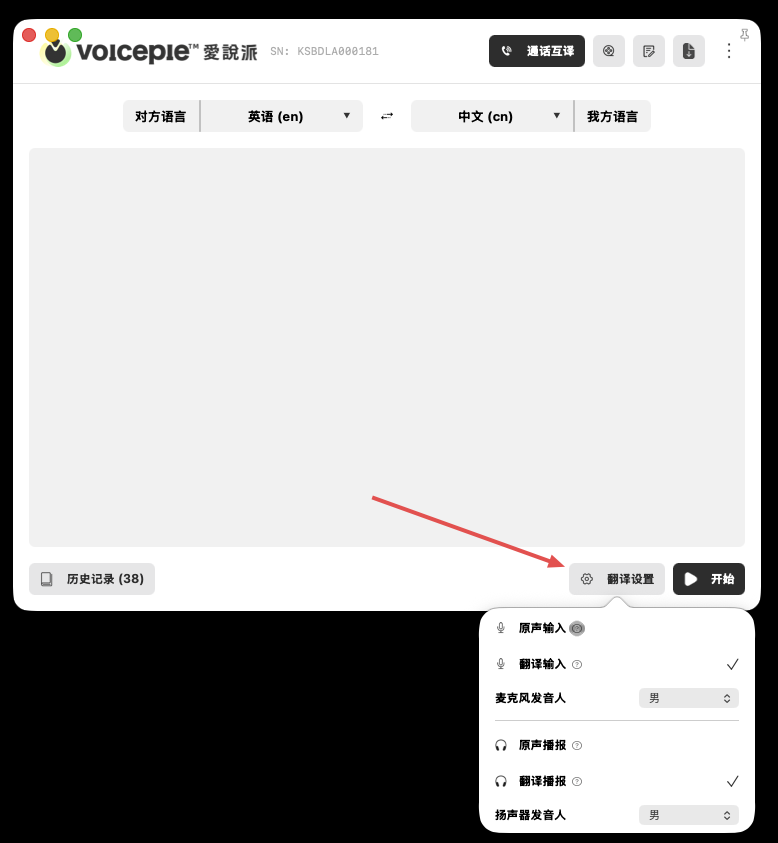
If translated text appears but you cannot hear the translated audio, check Playback Settings first, then check the device volume.
1. Check Playback Settings
Open the translation mode you are using, select Settings in the upper-right corner, and make sure translation playback is enabled for the side that needs to hear it.
Android
iOS
Windows
macOS
2. Turn Up the Device Volume
Translated audio uses media volume. While translation is running, turn up the media volume on your phone or computer and make sure the device is not muted.
