Required Permissions
When you first open the voicepie App, it requests the permissions needed for translation and device connection. Follow the steps for your phone.
Android Permissions
When opening voicepie for the first time, please enable the following permissions in order — skipping any may affect your experience.
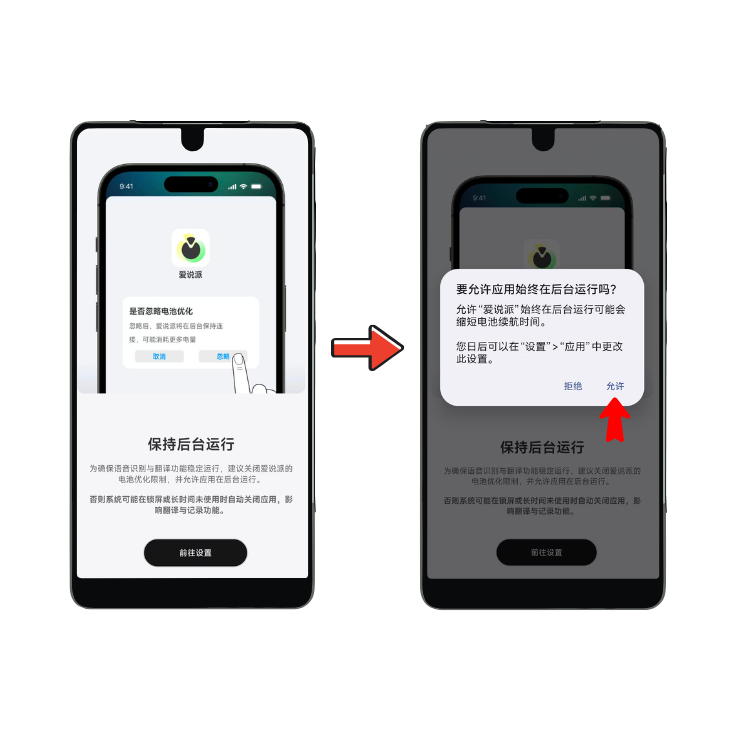
Add voicepie to your "Ignore Battery Optimization" list.
Android may automatically close background apps when the screen is locked or the phone idles for long periods — this can interrupt translation or lose your conversation history. Disabling battery optimization keeps voicepie running smoothly in the background.
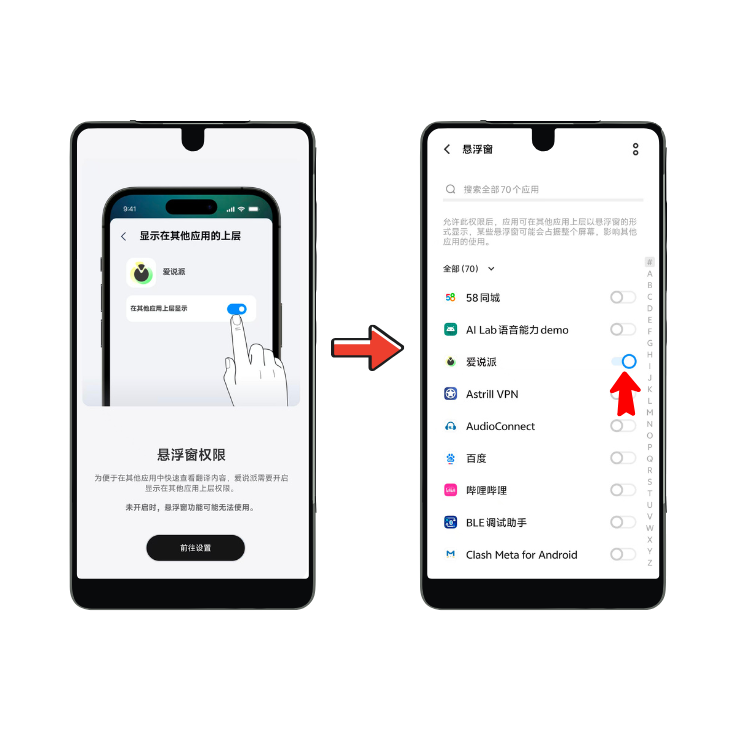
Let voicepie show its floating widget on top of other apps.
The floating widget is what makes voicepie work inside WeChat, TikTok, phone calls, or any other app — one tap to call up translation, no app switching needed.
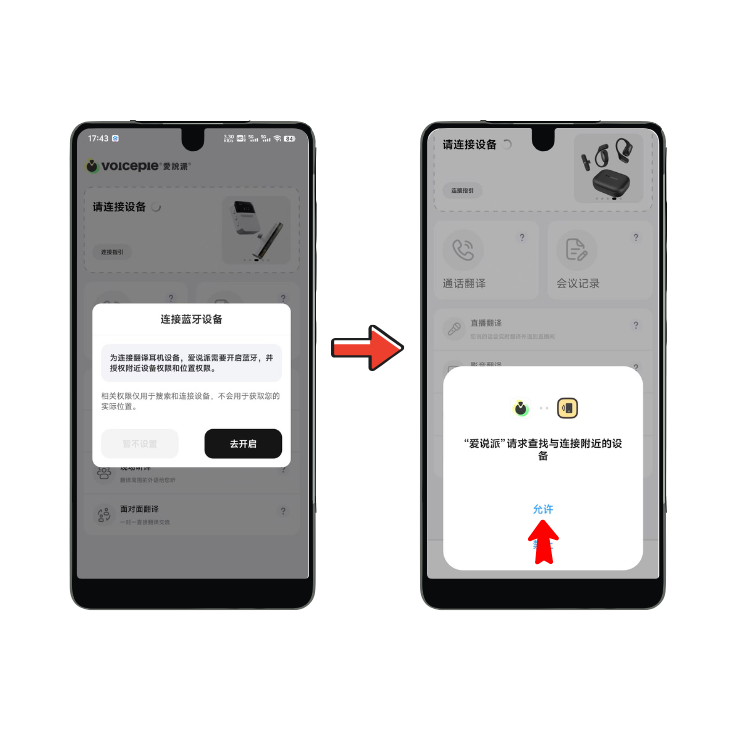
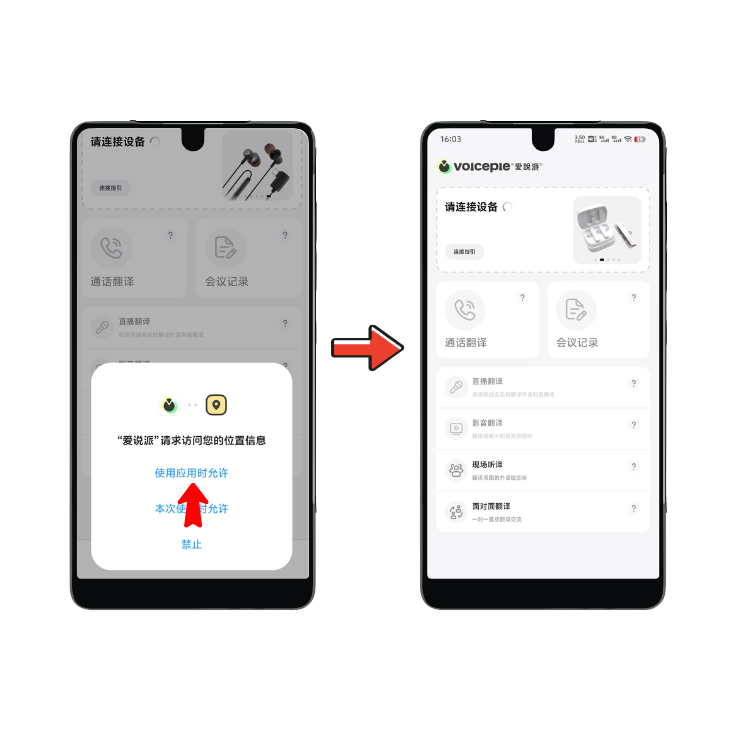
Includes Nearby Devices, Location, and Bluetooth — all three are required.
voicepie translation devices connect over Bluetooth, so these permissions are needed to discover and pair your device. They're only used for device connection, nothing else.
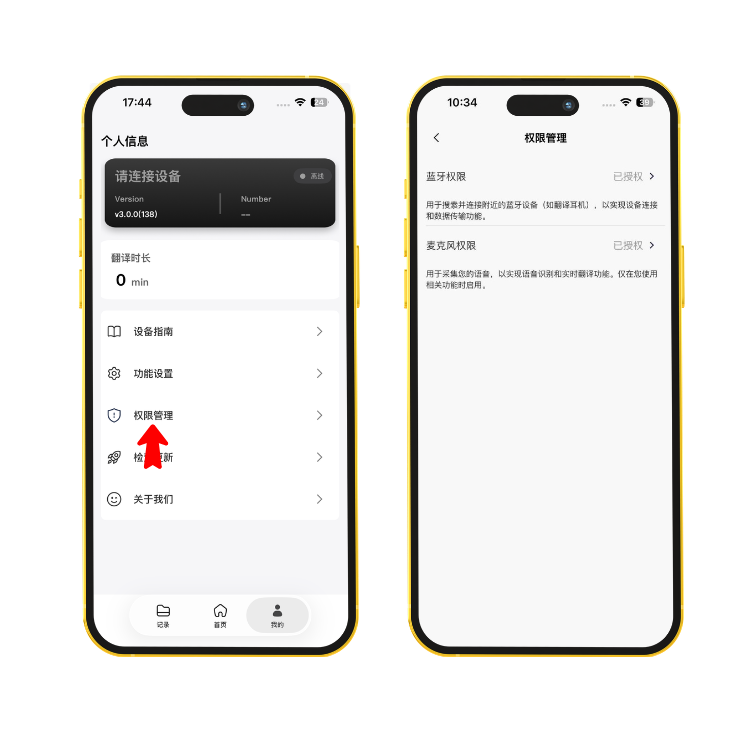
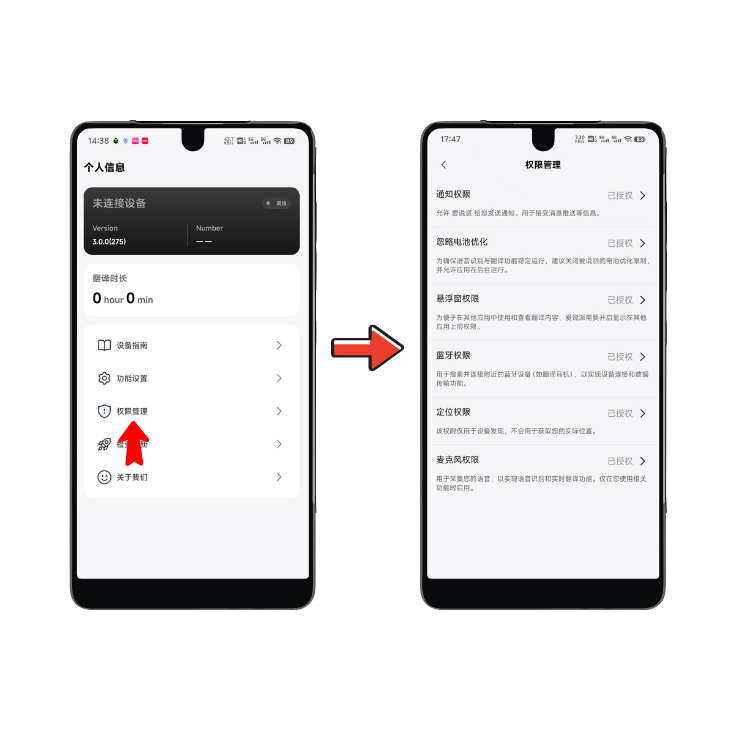
Not sure if everything's enabled? Open My Profile → Permission Manager in the app to check all permissions at a glance.
iOS Permissions
When opening voicepie for the first time, allow the following permissions in order — skipping any may affect your experience.
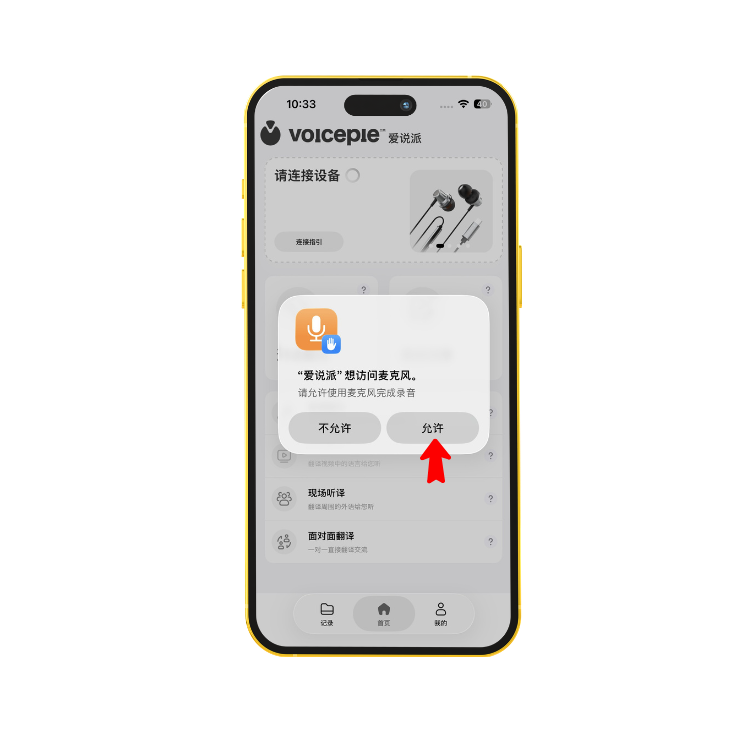
iOS will prompt "voicepie would like to access the microphone" — tap Allow.
Translation needs your microphone to capture your voice input.
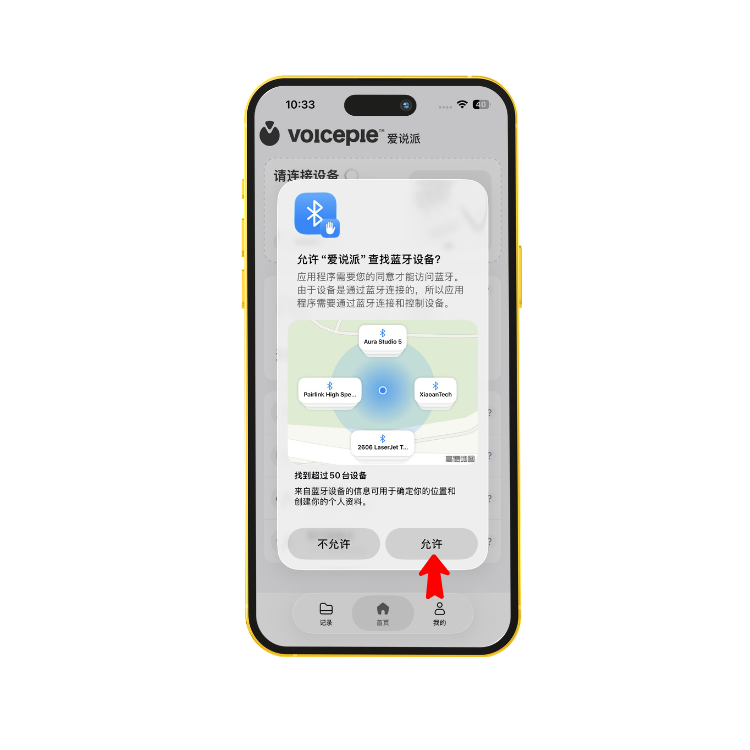
iOS will prompt "voicepie would like to use Bluetooth" — tap Allow.
Bluetooth is the only way iOS can connect to your voicepie translation device.
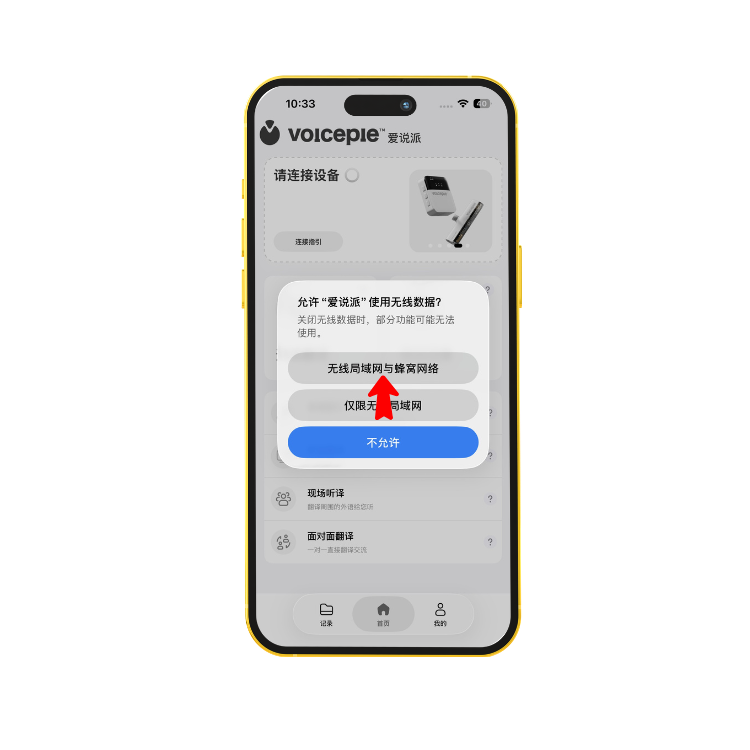
Allow voicepie to use cellular data and Wi-Fi.
Real-time translation requires an internet connection — keep this enabled.
Not sure if everything's enabled? Open My Profile → Permission Manager in the app to check. You can also re-enable Bluetooth in iPhone Settings → voicepie.